Social media has become part of our daily lives in Nigeria—using platforms like Facebook, WhatsApp, Instagram, Tiktok and the likes to promote our businesses, engage and communicate with our loved ones on the go.
These platforms tend to consume more data than usual. It’s economical wise to choose a means where you can reduce the cost of data these apps consume, that’s where social bundles come into play.
Unlike the regular bundle that works on all social media and browsers, social bundle works only on selected social media platforms. The subscribed data becomes inactive outside the social media apps. This article will expose you to how you can subscribe to social media on all networks.
Social Media Bundle Overview
Social bundle is a special data package that’s available and active only on social media platforms like Facebook, WhatsApp, Instagram, Tiktok, among others. They become inactive outside the social media apps unlike the regular data bundles that can be used on all platforms.
Subscribing to social bundle is a way of reducing data cost in such a way that your data gets consumed only when you’re using any of the social media platforms and becomes useless when you’re on a browser or any other app.
Interestingly, you tend to manage your data and used only when needed. You can choose to subscribe to daily, weekly, or monthly plan.
All you have to do before purchasing the data is knowing the best plan that suits your task or need. After that you fo ahead and make the purchase. Although, you need airtime to activate the data bundle—you can get your airtime on Xxdata app and enjoy your work and fun on social media.
With as low as ₦100, you can get up 200MB and up to 60GB—dependent on the service provider you’re using and the plan you’re purchasing.
How to Subscribe to Social Media Bundle on All Network
Regardless of whether you’re using MTN, Airtel, GLO, or 9Mobile, the subscription methods are the same and all easy. Initially, to purchase data for social media bundles, each network has it’s own USSD code for that purpose but it was recently changed by the Federal Government of Nigeria and a standard code was created for all the services providers to use.
The code can be used by each of the service providers. Let’s move on to how to subscribe to social bundle on all networks.
Social Bundle Subscriptions using the USSD Code
Whether you’re MTN, GLO, Airtel or 9Mobile, enter your phone’s dial pad and dial *312#, navigate to “social bundle” or “social pack” and select the “all social bundle” option.
Them you select if the plan you want to buy daily, weekly, or monthly, from there you can easily activate the bundle. Bonus tips for MTN users, if you’re on MTN Pulse tariff, your pulse point bonus can be redeemed for the data, though your point’s balance must be enough to buy such bundle.
Social Bundle Subscriptions using the Service Providers App
If you’re subscribing using either MyMTN App, MyAirtel App, GLO Ćafe, or 9Mobile App, you should log into your account and navigate to data plan, select the social media bundle, then the all social bundle.
Make sure your airtime balance is enough to buy the bundle you need. To top up your airtime balance, visit Xxdata and make your purchase with ease.
Frequently Asked Questions (FAQs)
Can I share or hotspot my social bundle?
No, social bundles cannot be shared via hotspot or tethering. They only work directly on the subscribed SIM card and device. If you try to hotspot, the connection may fail or your main data will be used instead of the social bundle.
What apps work with social bundles in Nigeria?
Social bundles are designed mainly for popular social media apps. These usually include WhatsApp, Facebook, Instagram, X (Twitter), and TikTok. However, supported apps depend on the network and plan chosen, so it’s important to confirm before subscribing.
Why is my social bundle deducting my main data?
This often happens when you open unsupported links, watch embedded videos, or allow background data on apps. Some features inside social apps still require regular data. To avoid this, turn off background data and stick strictly to chatting or basic social media usage.
Do social bundles auto-renew after expiry?
Yes, most social bundles auto-renew by default if you have enough airtime. If you don’t want this, you should disable auto-renewal using the network’s USSD code or mobile app to avoid unexpected airtime deductions.
Can I use a social bundle to browse websites or watch YouTube?
No. Social bundles are restricted to specific social media apps only. Browsing websites, watching YouTube videos, downloading files, or using Google will not work. If attempted, the network may deduct from your main data balance instead of the social bundle.
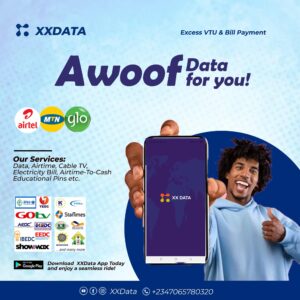
You want to stay connected on Internet and you need a sure data plug where you can get budget-friendly data package, top up airtime, Pay for bills and TV subscriptions, Examination pins among others. Visit our website to get started on the link below.
Final Thought
Social media bundle is a special data package for social media users—especially the heavy users like the influencers or business owners who advertise their products on these platforms to reduce the cost of buying regular data bundle heavily. You just choose the plan that suits you’re preference and subscribe.
Now that you know how to subscribe to social bundle on all networks, you don’t need to waste time, go ahead and subscribe to that plan you’ve been finding difficult.