
MTN night plan is a data package for MTN users to have access to data at cheaper rates than the regular data plan, but it can only be used at night.
You may have a lot of files to download, playing an online game, or even posting on social media and be curious to know how much data you have left in your balance, this tends to be difficult for some users. This article would guide you through how to check remaining data on MTN night plan.
MTN Night Bundle Overview
MTN night bundle is a cheaper data offer that MTN users can use at night to browse, post on social media, downloading large files or even playing online games.
The night plan is only available to users using MTN pulse tariff—so, even if you’re not on the pulse tariff and you purchase the data, your tariff plan changes to MTN pulse immediately.
The MTN night plan can be purchased at any time but can only be activated and used between 11pm and 6am. Your unused data expires immediately it’s 6am and can’t be rollover at night. So if you need such bundle, you meed to buy resubscribe to such bundle.
Interestingly, there’s need to check your data balance at intervals—especially if you didn’t activate low data and balance alert on your MTN SIM card. By doing this, you have an idea about your remaining data balance, you get alerted when there’s need to resubscribe or manage the remaining balance.
You can purchase the data at any time of the day and awaits the time it would be activated and used during the night. You can only purchase 2GB maximum within a night and must be used during same period before it expires.
You can purchase this bundle using your airtime or pulse points. For your budget-friendly airtime top-ups, visit Xxdata to get your airtime and more.
Read More: How to Check your Pulse Points Balance on MTN
How to Check your Remaining MTN Night Plan
Checking your remaining nightlife balance is very easy and simple. Interestingly, it’s takes few seconds to check your balance. You can check your remaining night plan using USSD code.
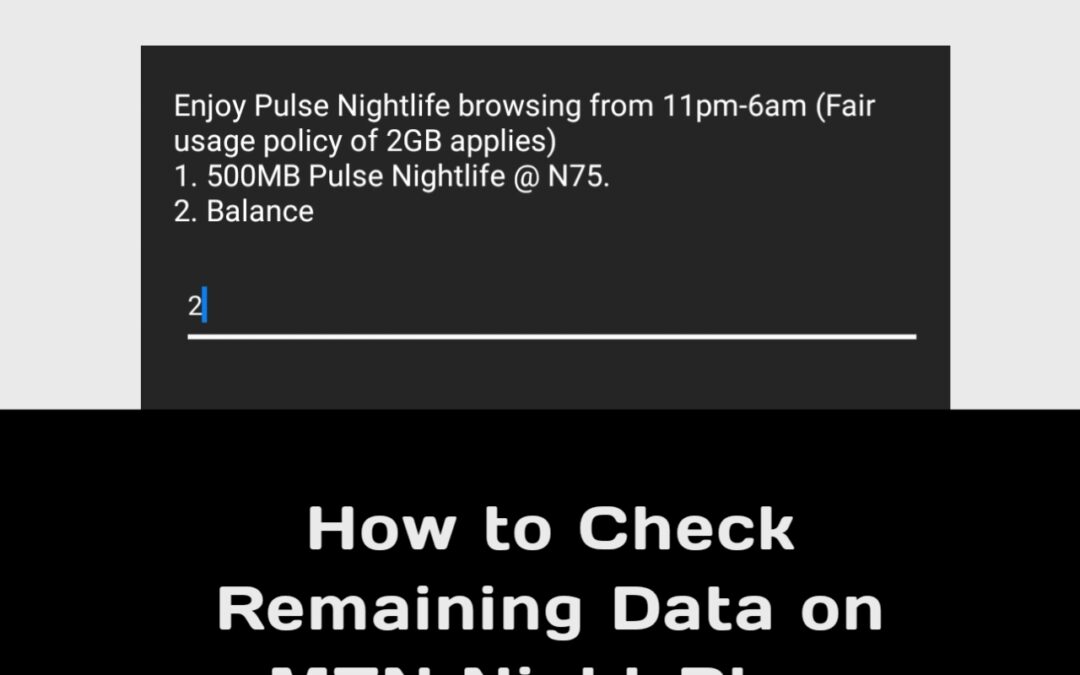
Enter your smartphone’s dial pad and dial *406#, and select “Nightlife bundle”. Choose the “Balance” option in the next tab and wait for a confirmation with your data balance.
You may receive your nightlife balance as an SMS or it would be displayed on your prompt screen. You can also use the *323# code to check, but here, it displays the data valance for all active subscriptions including the MTN pulse points balance.
Additionally, you can also check your remaining night plan on MyMTN App by logging into your account and navigating to the data balance section. You would see your remaining data balance from the dashboard.
Read More: How to Check your MTN Number Via USSD Code in Nigeria
Frequently Asked Questions (FAQs)
Does MTN Night Plan data expire?
Yes, MTN night plan data expires. The data is only valid during the night browsing hours between 11pm and 6am and does not roll over to the next day if unused. Once the browsing time closes or the plan duration ends, any remaining data will expire automatically.
Can I check MTN Night Plan balance without internet access?
Yes, you can check your MTN night plan balance without internet access. You can use the *406# because its the best option to check your nightlife. Just dial *406# on your MTN SIM card, and your remaining night data balance will be shown instantly, even if you have no active internet connection.
Can I have more than one MTN data plan active with Night Plan?
Yes, you can have multiple MTN data plans active at the same time, including the night plan, but can only buy up to 2GB at a time. However, MTN usually prioritizes night data during the valid hours. It’s still important to check your balance to know which data bundle is being used.
What is the code to check MTN Night Plan remaining data?
You can check your MTN night plan balance using the main code or the general MTN data balance USSD code. Simply dial *406# or *323# and follow the on-screen prompts. Your remaining nightlife balance will be displayed alongside other active data bundles linked to your MTN SIM.
Why is my MTN Night Plan balance not showing?
Your MTN Night Plan balance may not show if the plan has expired or if there is a temporary network issue. Also, ensure you are checking during the valid night browsing period. If the issue persists, retry later or use the MyMTN App.
Get budget-friendly, reliable and strong data, airtime, bills payment, Examination pins at Xxdata. We offer you quality and value worth your money. Visit our website to get started.

Final Thought
Checking your remaining MTN night plan is quite simple and crucial if you want to have access to uninterrupted experience online at lower rates by staying up at night.
With just your USSD code, you can check your data banalce at zero cost and also by using MyMTN App to check your balance. You can now check your balance since you know how to check your remaining data on MTN night plan.